1. Log in to the NPSIS website.
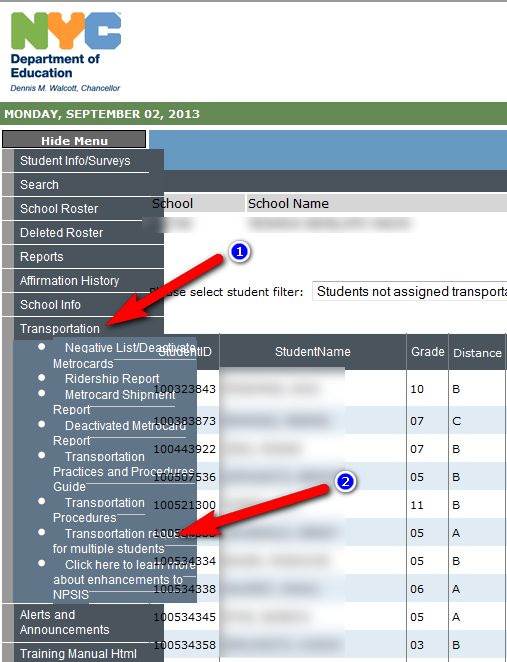
Click on the Transportation button in the menu. Then click on the "Transportation requests for multiple students" button.
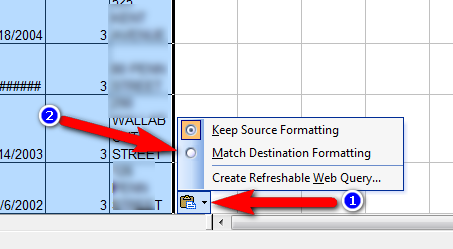
2. Select all the text from the StudentID column until the end. Open excel and paste the content in to Excel. When pasting in Excel click on the paste icon in the right bottom corner of the paste and choose "Match Destination Formatting".
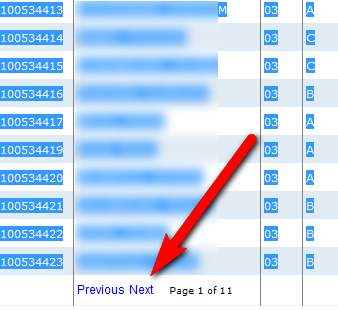
Click on Next on the bottom of the screen and paste in excel each page separately.
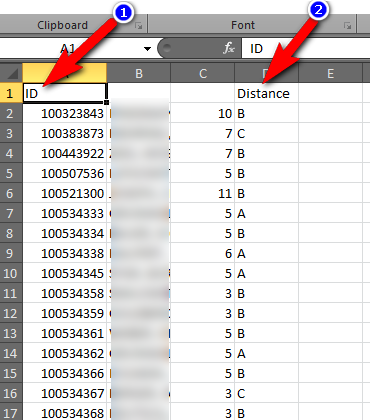
On the first row put in the NPSIS StudentID Column the word ID, And in the Distance Column the word Distance.
3. Now Click on File menu and Select Save As and choose to save as Excel 97-2003 Workbook. Save it in a location where you will be able to find it.

Continue to Step 4 by How do I import NPSIS OPT eligibility to the software?

