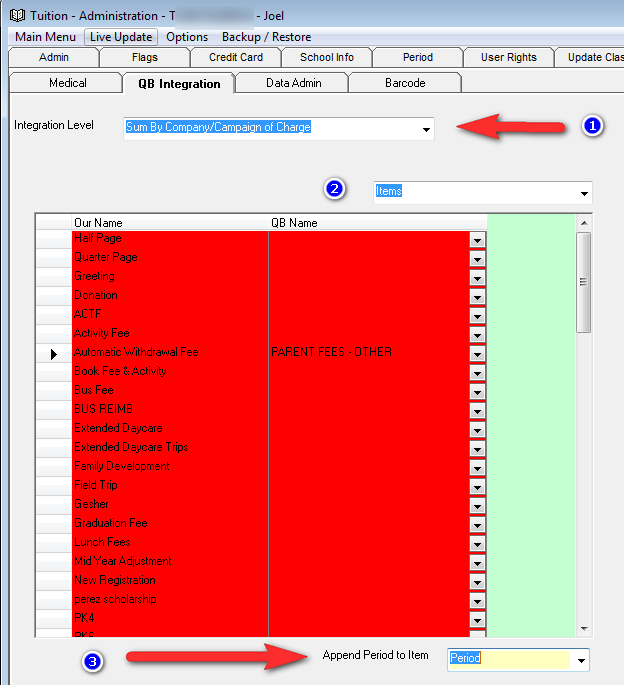
In order to have the income accounts based on how the payments are applied to charges you must choose the integration level "Sum By Company/Campaign of Charge" in Administration under the QB integration Tab (1).
Next select Items (2) from the second dropdown and enter all Income Accounts for all the items. Remove the period name from the Income Account. So for Tuition if the Income Account in QB is called School Income 2015-2016 just enter School Income.
Next choose on the bottom that the period name should be appended to the Income Account. You can choose either Period or Period Name. These refer to the name of the Period in the periods tab. You can use Period or Period Name.