GPS Website Updates

0 votes
1,015 views

1 Answer

answered Apr 7, 2019 by Admin
edited Apr 8, 2019 by Admin
 
Best answer

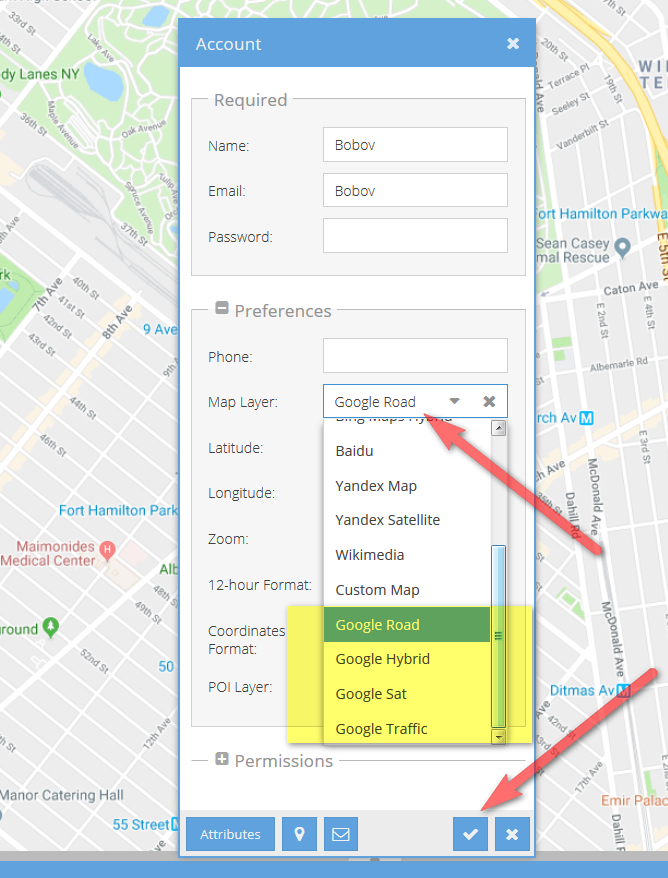
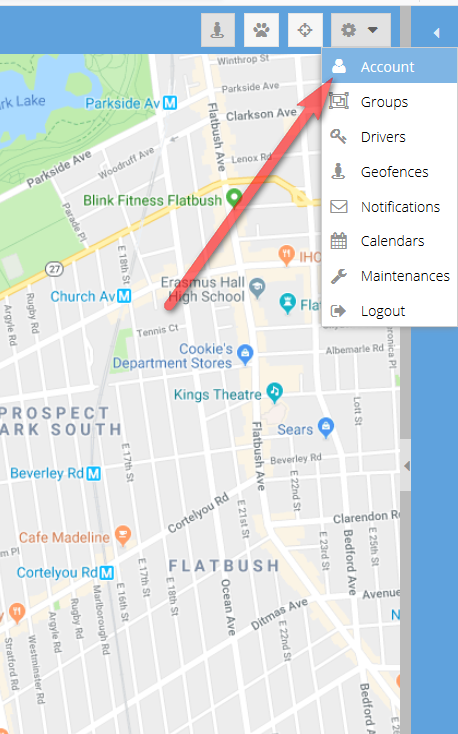
You can now have the option of using Google Maps on the GPS website. To change the map click on Account in the right top corner. Click on prefrences and choose one of the google map layers. When done clcik on the check box to save. Now reload the page and the new map will load.

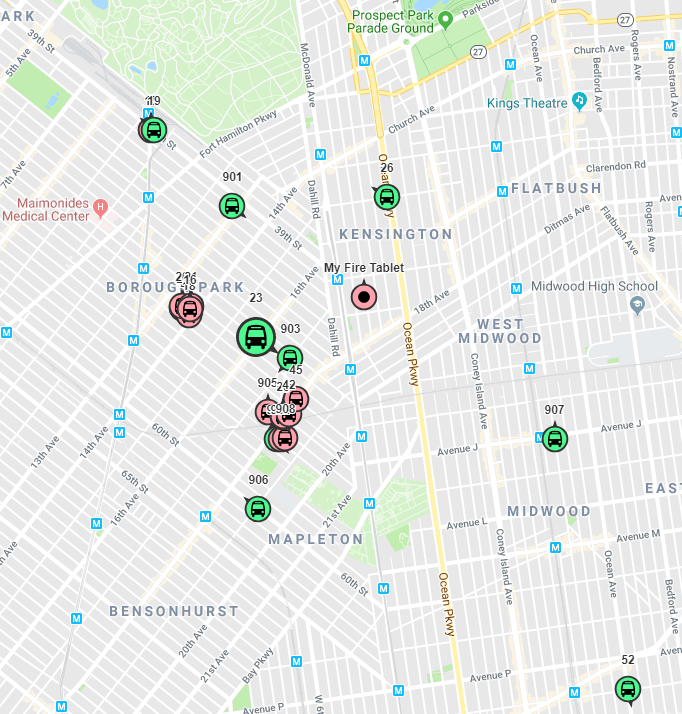
The Icon and Row will only be green when the ignition is on.


We will have the following updates soon.

When the ignition is off, it will not update the GPS location which will remove the issue of the Bus moving when Ignition Off.



Let's Welcome our New Members

  • Tobys of Yeshiva Yagdil Torah - Nov 04, 2026

  • sdoppelt of TZAHLIM - Nov 02, 2026

  • Miss Spiegel of Sanz Klausenburg - Nov 02, 2026

  • dzigdon of Telshe Yeshiva - Oct 29, 2026

  • Elementary of Bais Malka - Oct 27, 2026

  • herskovitz of tosh mosdos - Oct 23, 2026

  • sholom8169 of Skver Yeshiva of Lakewood - Oct 22, 2026

  • mkatz of Mikvah USA - Oct 21, 2026

  • Cheiderbreslev of Cheider Breslev - Oct 21, 2026

  • YStern of Talmud Torah Ohr Moshe - Oct 21, 2026

...