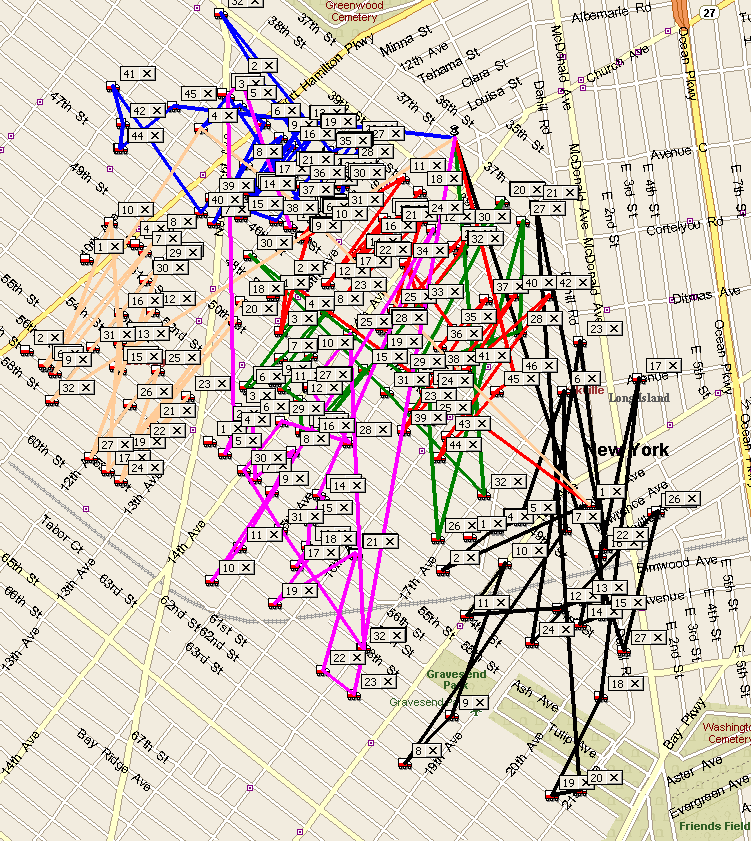
Changed that it will now show thicker lines. Also will print full screen when pressing print map.
Select in the Bus Route screen by the Bus Routes tabs all the buses you want to see on the map.
Click on View Route on Map button. This will show each route with the stops with the color of the line the same as the bus color. Look on example below.
Wck of Willowbrook Community Kollel - Feb 17, 2026
Mr Y greenwald of Tov vchesed Rachmistrivka - Feb 10, 2026
Kritzler YS of pupa - Feb 09, 2026
Shimon of Vehareinu Skver - Feb 09, 2026
Gutwein of Lakefront - Feb 08, 2026
dgross of yeshiva orchos chaim - Feb 03, 2026
SrulyF of JLS - Feb 02, 2026
Flor of Little Munchkins Playgroup 56 Inc - Jan 29, 2026